How to Recognize a SIM Swap Attack Before It Affects Your Financial Accounts
A SIM switch assault can start with what looks like an ordinary phone problem. Your phone suddenly has no cell service, text messages stop coming in, or you get an unexpected notice that your SIM or mobile service has been changed. The issue may not be your phone at all. You could be dealing with an individual attempting to hijack your phone number.
The risk rises if someone connects your phone number with email, banking, payment, investing, or other essential services. If a criminal takes over your number, they could receive SMS messages intended for you, including some login or account-recovery credentials. That doesn’t automatically provide them with access to your financial accounts, but it can remove a crucial layer of protection if other account passwords have already been hacked.
You can usually prevent a SIM switch more easily if you recognize warning signs promptly; so it’s important to know what to look for. The trick is knowing the difference between a normal network issue and a surprise change concerning your mobile account.
What A SIM Swap Really Does
A SIM swap is when someone tricks or manipulates a mobile carrier into transferring your phone number from your existing SIM or device to another SIM, and it becomes much more serious when unusual activity occurs. The attacker ports your number from your current carrier to an account they control on another carrier. In both circumstances, the thief aims to take control of your number without stealing your phone.
If the transfer succeeds, calls and texts meant for your number can be routed to the attacker’s handset instead. This is especially problematic when websites or financial services employ SMS messages to authenticate users or recover passwords. The attacker can utilize those messages, together with stolen usernames, passwords, personal information, or other credentials, to access more accounts.
That’s a key distinction. A SIM switch is not the same as someone hacking your bank directly. It is more accurately described as an attack on the communication channel that may be used to secure additional accounts. Losing control of your number, especially if you use it as part of your account security, can lead to additional account takeovers.
The First Sign Might Be a Phone That Suddenly Goes Silent
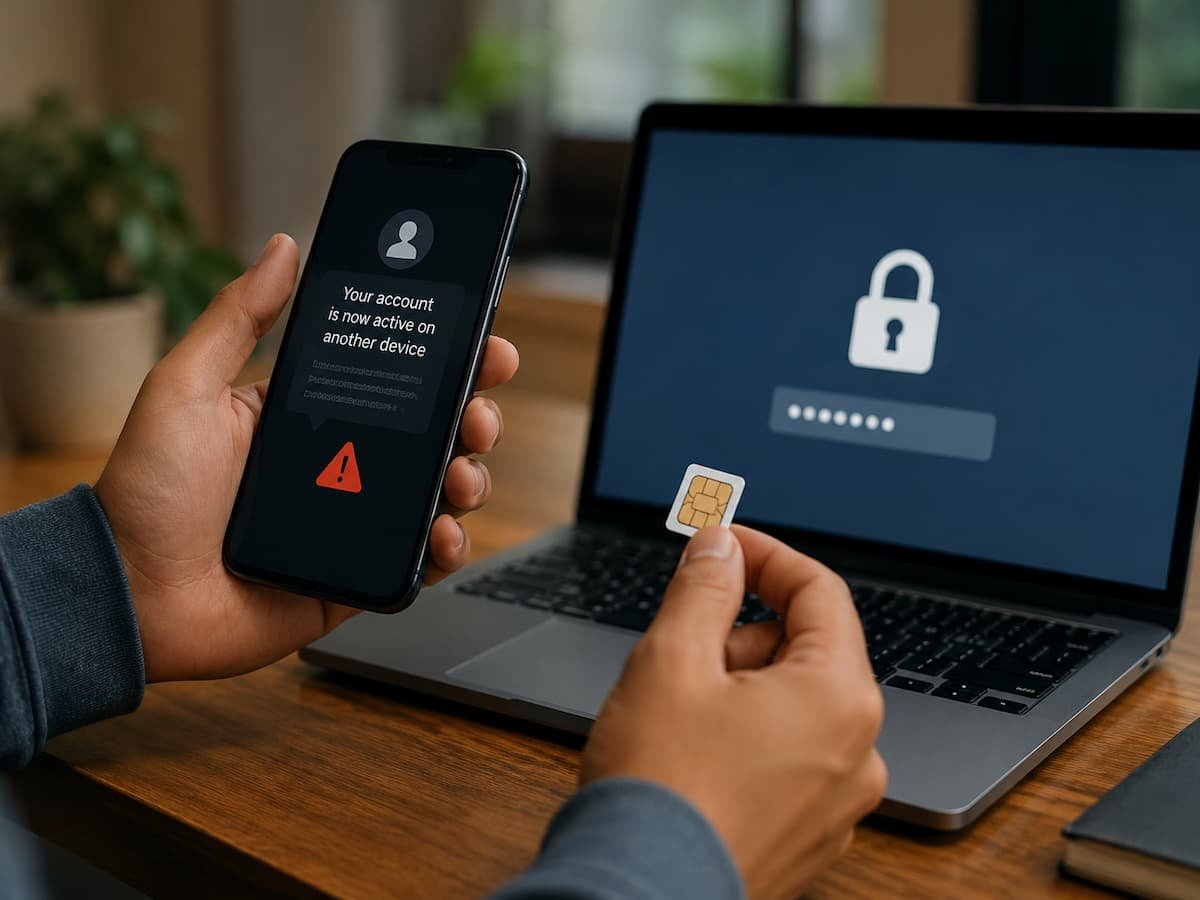
One of the most obvious symptoms of trouble is the sudden loss of cell service. You may suddenly find yourself out of service on your phone, no longer receiving calls and texts, or losing mobile data even if you haven’t changed your plan, swapped out your SIM, or moved to a location with known coverage issues. There are numerous innocent reasons for lost service, such as an outage, a bad SIM card, network maintenance, billing issues, or a device malfunction. So losing service by itself is not evidence that a SIM switch has occurred.
If the outage is sudden and inexplicable, and particularly if other indications arise at the same time, the situation gets more worrying. For example, you might lose cell connectivity and then receive an e-mail saying that your mobile account was upgraded. You can get a carrier message concerning a SIM replacement or number transfer that you didn’t request.
The Federal Communications Commission said that a loss of mobile service is often an early indicator that SIM switching or port-out fraud may have occurred. If your phone suddenly loses service, don’t just sit there for several hours expecting the network to come back. Check to see if there is a known outage. If there is no clear reason, contact your mobile carrier through an official channel.
Unexpected Carrier Messages Deserve Immediate Attention
A notification from your mobile provider can be more revealing than the loss of service itself. Pay attention to messages about SIM replacement, eSIM activation, number transfers, changes to your mobile account, or requests that you did not make.
Providers use different wording, and routine account activity can sometimes trigger legitimate notifications. The important question is simple: Did you authorize this change?
If you did not, treat the notification as a security issue rather than an ordinary account message. Do not respond to an unexpected message by clicking a link or calling an unfamiliar number contained in it. Instead, use the provider’s official website, app, or a trusted customer-service number to verify what happened. The FTC recommends contacting companies through contact information you know to be genuine rather than relying on information supplied in an unexpected message. This approach is especially useful during a suspected SIM swap because an attacker may deliberately send convincing messages or impersonate a carrier representative.
Watch for Account Alerts You Did Not Trigger
A SIM swap becomes much more serious when unusual activity occurs on other accounts. Look for password-reset emails, new-device alerts, login notifications, changed recovery settings, or authentication requests that you did not initiate.
For example, imagine that your phone loses service at 10:00 a.m. An hour later, you receive an email that your financial account’s password has changed. That combination is much more concerning than either event by itself. Do not assume every unexpected security notification means someone successfully entered your account. Some alerts are generated because somebody merely attempted to log in or initiate recovery. Nevertheless, an unexpected alert is a reason to verify the account directly.
Start with your email account because it may serve as a recovery route for many other services. Then review financial and other high-value accounts for changes you did not make. The FTC specifically recommends checking bank, credit card, and other financial accounts after a suspected SIM swap and reporting unauthorized activity to the relevant institution.
Why SMS Verification Can Become a Weak Point
Text-message authentication is convenient, but it depends on control of your phone number. If an attacker successfully transfers that number to another SIM, the security code may go to the attacker rather than to you. That does not mean two-factor authentication is useless. Adding another authentication factor is generally stronger than relying on a password alone. The issue is that SMS-based verification can fail if someone hijacks the underlying phone number. The FTC specifically warns that text-message verification may not stop a SIM swap and recommends considering an authenticator app or security key where available.
For particularly important accounts, you should therefore consider the available authentication methods carefully. An authenticator app generates codes independently of your cellular number, while a hardware security key provides a different form of authentication. CISA also recommends stronger authentication methods and notes that FIDO-based authentication provides phishing-resistant protection.
There is an important practical detail here: adding an authenticator app does not necessarily remove SMS as a recovery option. If a service still allows an attacker to fall back to text-message verification, the account may retain a weakness you thought you had eliminated. CISA specifically recommends reviewing and disabling SMS fallback where the service permits it and where doing so will not leave you without a workable recovery method.
Secure the Mobile Account Before There Is a Problem
Your mobile carrier account deserves the same attention as your email and financial accounts. Many people protect their bank password carefully but leave the mobile account with relatively weak protection even though control of the phone number can affect other accounts. Check whether your provider offers an account PIN, passcode, or additional authentication requirement for sensitive changes. Set it up if available, and use a password that is not reused elsewhere.
CISA recommends that you add a PIN and multifactor authentication to your telecommunications account when those protections are offered. These controls can make unauthorized SIM changes or number transfers harder to complete. It is also worth reviewing the recovery information attached to your carrier account. An outdated email address, old phone number, or weak recovery method can complicate legitimate account recovery while potentially creating another avenue for an attacker.
These protections cannot guarantee that a SIM swap will never happen. Their purpose is to add additional barriers before someone can make a sensitive change.
Reduce the Information an Attacker Can Use Against You
SIM swap attacks often depend on information that helps a criminal impersonate the account holder. Publicly available details can sometimes contribute to social-engineering attempts, especially when combined with information obtained from data breaches or other sources. You do not need to disappear from the internet to reduce this exposure. Instead, review what personal information is publicly visible on social networks, public profiles, old listings, forums, and other websites.
Be particularly cautious about unsolicited messages or calls asking for account information, verification codes, passwords, or other personal details. A caller may already know your name, phone number, or other basic information and use it to sound convincing. That information alone does not prove that the caller is legitimate. The FTC advises consumers not to provide personal information in response to unexpected requests and to contact organizations directly through trusted channels.
A verification code should also be treated as private authentication information. If someone asks you to read a code, don’t assume the request is legitimate just because they say they’re from your bank, carrier, or another familiar company.
What to Do When You Suspect a SIM Swap
Speed matters when your phone number may have been taken over, but panic can make the situation worse. Do not start moving money simply because somebody contacts you and claims your accounts are in danger. Fraudsters sometimes impersonate banks or security departments and use urgency to persuade victims to reveal codes or transfer funds.
Instead, contact your mobile provider immediately through an official channel and explain that you believe someone has transferred your number without your authorization. The immediate goal is to regain control of the number and determine whether a SIM replacement or port-out occurred. The FTC recommends contacting the cellular provider right away after a suspected SIM swap.
Once control of the number has been restored, change important account passwords, beginning with accounts that could be used to reset others. Review email, banking, payment, investment, shopping, and social accounts for unauthorized changes. Check recent transactions and account alerts carefully. If you discover unauthorized financial activity, contact the relevant bank, card issuer, or financial service immediately using an official contact method. Keep records of unusual notifications, account changes, dates, and conversations with providers because they may help when explaining what happened.
Protect the Accounts That Matter Most
You do not have to change every security setting at once. Start by identifying accounts where losing access would cause the greatest damage. Your primary email account should be near the top of that list because email is frequently used for password resets and security notifications. Financial accounts should also receive strong protection, particularly those that permit transfers, withdrawals, or changes to payment information.
For each important account, check whether an authenticator app, passkey, or security key is available instead of SMS authentication. The best choice depends on the service and your ability to maintain access to the authentication method. Do not enable a security method and then lose the recovery mechanism.
It is also useful to keep account recovery information current. Security measures work best when they are both difficult for an attacker to bypass and practical for the legitimate account owner to use. A password manager can make unique passwords easier to maintain across multiple accounts. CISA recommends password managers as part of broader account-security practices and recommends using long, unique passwords rather than reusing credentials between services.
A Simple Way to Tell When a Phone Problem Is More Serious
The most useful mental model is to look for combinations of signals rather than one isolated symptom. A temporary network outage with no account notifications may simply be a service problem. A sudden loss of cellular service accompanied by an unexpected SIM-change notification is much more suspicious. If you receive an unfamiliar password-reset message or financial-account alert, the situation warrants immediate investigation.
The same principle applies to authentication codes. A random verification code does not necessarily mean that someone has already compromised your account. It can mean someone is attempting to log in, reset a password, or simply entered the wrong number. But if unexplained authentication messages appear at the same time that your mobile service stops working, do not ignore the combination.
The goal is not to treat every technical problem as a cyberattack. It is to recognize when several unusual events point toward the same possibility and respond before the situation develops into an account takeover.
The Most Important Protection Is Preparedness
A SIM swap attack can be difficult to recognize because the first visible symptom may look like a normal mobile-network problem. The difference is that an unexplained loss of service can sometimes be the beginning of a much larger account-security problem.
Protecting yourself starts with securing your carrier account, using a strong password and available account PIN or multifactor authentication, limiting unnecessary exposure of personal information, and choosing stronger authentication methods for sensitive accounts when available.
If your phone suddenly loses service and you did not authorize a SIM or number change, please investigate promptly. Contact the carrier through an official channel, protect your email and financial accounts, review account activity, and never give verification codes to an unexpected caller. The earlier you recognize that something is wrong, the more opportunity you have to regain control before a stolen phone number becomes a gateway to other accounts.
FAQs
1. Can a SIM swap occur without your phone being stolen?
Yes. A SIM swap is particularly dangerous because an attacker does not need physical possession of your device to take control of your phone number. The number can be transferred to a different SIM card or, through number porting fraud, to a different service provider.
2. Does a loss of phone signal necessarily mean a SIM swap has occurred?
No. Network outages, device malfunctions, damaged SIM cards, billing issues, and other technical problems can also cause service interruptions. The risk is higher if the service interruption is unexpected and accompanied by notifications from the provider, account changes, or unusual security alerts.
3. Can a SIM swap lead to unauthorized access to my bank accounts?
It can lead to the theft of financial data, especially if financial services use SMS for authentication or account recovery and the attacker also possesses other necessary login credentials. A SIM swap alone does not automatically grant access to all financial accounts.
4. Are authentication apps more secure than SMS?
To prevent SIM-related attacks, authentication apps may be more secure because their verification codes are not sent to the compromised phone number. However, verification codes can still be vulnerable to phishing attacks. More robust anti-phishing methods, such as FIDO authentication, can offer a higher level of protection, provided they are supported.
5. What should I do if I suspect someone has hijacked my number?
Please contact your mobile service provider immediately through official channels and report any suspicious or unauthorized SIM swap or number transfer. Once you have regained control of your number, change important passwords and check your financial and other sensitive accounts for unauthorized activity.