How to Protect Your Digital Wallet From Everyday Security Risks
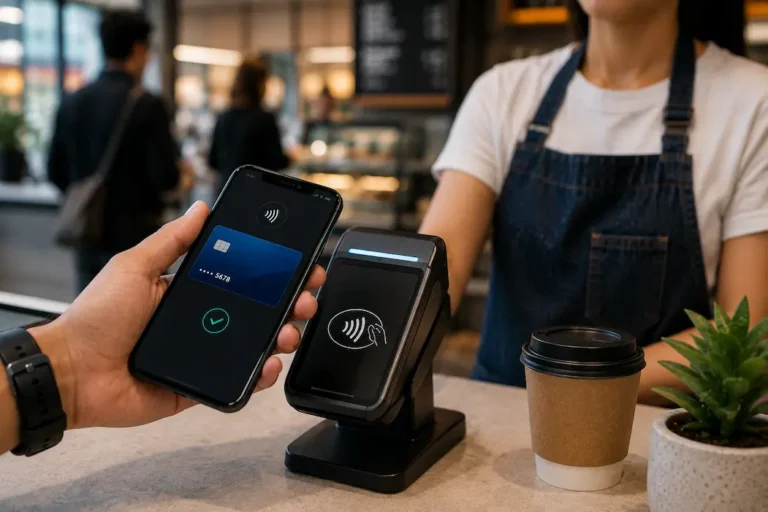
Paying with a phone or smartwatch has become routine for many people. Whether buying groceries, splitting a restaurant bill, paying public transport fares, or shopping online, digital wallets remove much of the friction from everyday payments. That convenience is exactly why millions of people use them daily.
The same convenience, however, can quietly introduce risks that many users underestimate. Unlike losing physical cash, problems involving a digital wallet often involve connected accounts, saved payment methods, personal information, and multiple devices. A single mistake—such as approving a fake login request or leaving an old phone unsecured—can expose much more than one payment card.
The good news is that protecting a digital wallet usually doesn’t require advanced technical knowledge. Most security improvements come from changing everyday habits, reviewing a few settings, and understanding how criminals typically look for opportunities.
Your Digital Wallet Is More Than Just a Place to Store Payment Cards
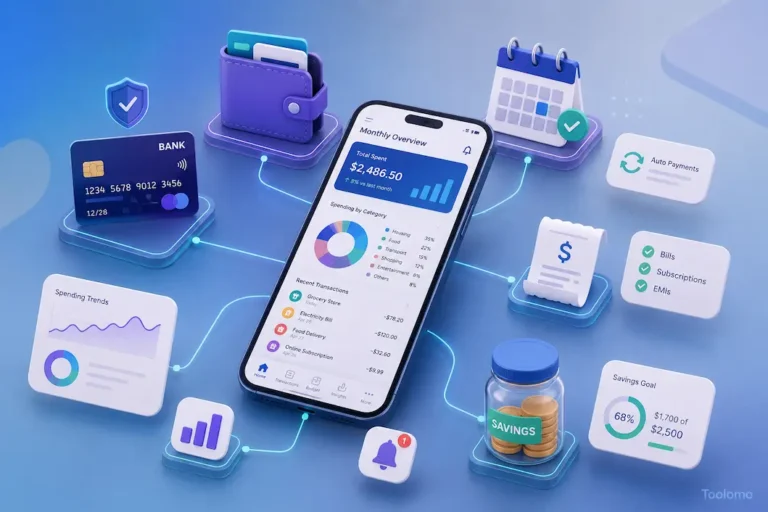
Many people think of a digital wallet as a digital version of a leather wallet. In reality, it functions more like a secure payment hub connected to several financial services.
Depending on the platform, a wallet may store the following:
- Debit and credit cards
- Transit passes
- Loyalty cards
- Event tickets
- Gift cards
- Identity documents (where supported)
- Digital keys
- Peer-to-peer payment accounts
This means someone gaining unauthorized access may not only attempt fraudulent purchases but could also misuse stored information or exploit linked financial accounts.
| Traditional Wallet | Digital Wallet |
|---|---|
| Holds physical cash | Holds payment credentials |
| Limited by physical access | Can sometimes be accessed remotely |
| Lost items are visible immediately | Suspicious activity may go unnoticed initially |
| Usually affects one wallet | May affect several connected accounts |
Understanding this difference helps explain why digital wallet security deserves more attention than simply setting a screen lock.
Small Daily Habits Usually Matter More Than Expensive Security Software
Many users assume cybercriminals rely on sophisticated hacking tools. In reality, everyday scams often succeed because people unknowingly give attackers access themselves.
A fraudster rarely needs to “break into” a secure payment platform if they can persuade someone to reveal a verification code, approve a fake login notification, or install a malicious application. This shift changes how security should be viewed. Rather than constantly worrying about complex attacks, it makes more sense to strengthen the simple habits repeated every day.
These include:
- Locking devices immediately after use.
- Updating operating systems promptly.
- Reviewing payment notifications.
- Removing cards no longer used.
- Ignoring unexpected payment verification requests.
- Downloading apps only from official stores.
Individually these habits seem minor. Together they create several layers of protection that make opportunistic attacks significantly less likely.
Convenience Can Quietly Expand Your Exposure
Adding every payment card to a wallet feels efficient. Saving every shopping website for one-tap checkout feels even easier.
Over time, though, convenience often grows faster than awareness. Someone may have five different cards, multiple online payment accounts, subscriptions, and shopping apps all connected to the same phone without ever reviewing what remains active. A useful exercise is to imagine losing your primary phone today.
How many financial accounts would immediately become accessible to someone who could bypass the device lock? Which payment methods would need to be frozen first? Which accounts would remain logged in? Most people discover they have far more connected services than they expected.
The Part Many Users Forget: Device Security Comes Before Payment Security
People often focus on protecting payment cards while overlooking the device that controls them. A secure digital wallet running on an insecure phone is similar to installing a reinforced front door while leaving every window open.
Some practical measures include:
- Using a strong device passcode instead of simple four-digit combinations.
- Enabling biometric authentication where available.
- Encrypting the device if supported by default.
- Turning on automatic security updates.
- Activating remote device location and remote erase features.
These protections become particularly valuable if a phone is lost during travel, left in a taxi, or stolen in a crowded public place.
A rideshare driver, for example, may depend on a smartphone for payments, banking, navigation, and communication throughout the day. Losing that single device could interrupt income while also exposing multiple financial accounts. Preparing for that possibility beforehand is much easier than responding after it happens.
Public Wi-Fi Isn’t Always the Biggest Problem
Public Wi-Fi networks often receive the most attention in online security discussions. While caution is justified, unsecured wireless networks are only one part of a broader picture. More common risks include fake customer support messages, phishing emails, QR code scams, malicious browser extensions, and fraudulent apps designed to imitate legitimate financial services.
Someone shopping online might receive a convincing text message claiming a payment failed and asking them to “verify” their wallet. Another person may scan a fake QR code placed over a legitimate payment sticker inside a café.
These attacks rely less on technical sophistication and more on creating urgency. The goal is to encourage quick decisions before the user has time to question what they’re seeing. When a payment request unexpectedly demands immediate action, slowing down for even thirty seconds often prevents expensive mistakes.
Security Features That Deserve Five Minutes of Your Time
Many wallet providers include built-in security options that users never activate simply because the default setup already works. Taking a few minutes to review available settings can substantially improve account protection.
| Security Feature | Why It Helps |
|---|---|
| Biometric authentication | Reduces unauthorized access if the device is found or stolen. |
| Two-step verification | Adds another barrier beyond a password. |
| Transaction notifications | Helps identify suspicious payments quickly. |
| Device management | Shows which devices are connected to your account. |
| Remote lock or erase | Protects information if the device cannot be recovered. |
| Spending alerts | Makes unusual payment activity easier to spot. |
Not every digital wallet offers identical features, and available options may differ by country or provider. Spending a few minutes reviewing your wallet’s security settings can reveal protections you didn’t realize were already available.
Children and Shared Devices Can Create Unexpected Risks
Not every security problem involves criminals. Sometimes payments happen because a child accidentally approves an in-app purchase, a family tablet remains logged into a payment account, or a shared household device stores payment credentials for convenience.
These situations rarely make headlines, yet they can still create unnecessary financial stress. Families who share devices should periodically review saved payment methods, require authentication before purchases where possible, and remove payment information from devices no longer actively used. This type of routine housekeeping often prevents small issues from becoming expensive surprises.
Why Reviewing Account Activity Is More Valuable Than Most People Realize
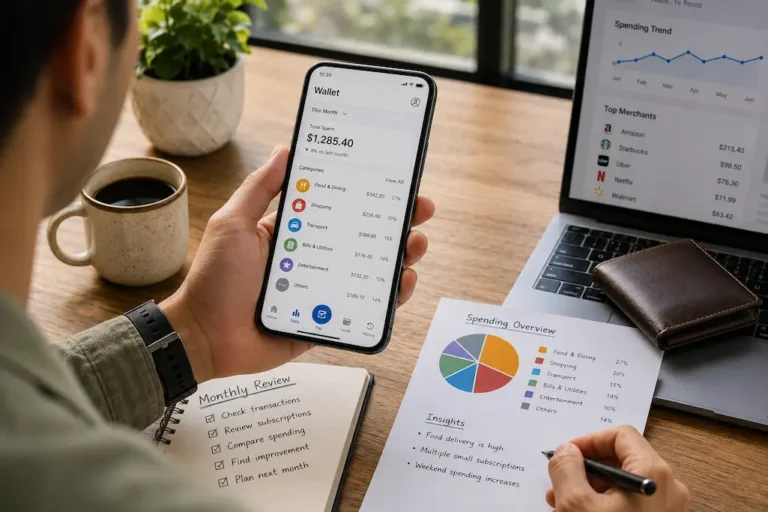
Many people only open their transaction history when they notice money missing. By then, a fraudulent payment may have already been processed, disputed, or even repeated. A better approach is to make reviewing payment activity part of a regular routine rather than an emergency response.
This doesn’t mean examining every transaction in detail. Instead, spend a few minutes each week checking for unfamiliar merchants, duplicate charges, unexpected subscriptions, or payment attempts that were declined. Even failed transactions can reveal that someone is testing your payment details before attempting a larger purchase.
A freelance designer who receives payments through several platforms, for instance, might overlook a small recurring charge because their account activity is naturally busy. Spotting unusual transactions early can prevent further unauthorized payments and make it easier to report the issue to the payment provider.
Not Every Scam Tries to Steal Your Money Immediately
Many people picture financial fraud as someone emptying a bank account overnight. In reality, some scams are much quieter. Criminals may first try to confirm that your account is active, gather personal details, or gain access to a trusted device before attempting larger transactions.
Be cautious if you encounter situations such as the following:
- A message claiming your wallet has been suspended and asking you to log in through a provided link.
- An email requesting that you “confirm” payment information despite not making a recent purchase.
- A phone call from someone claiming to represent your wallet provider and asking for verification codes.
- A QR code placed over another QR code at a payment terminal.
- A request to approve a login notification that you didn’t initiate.
The safest response is to avoid using links or phone numbers included in unexpected messages. Instead, open the official app or visit the provider’s verified website directly to check whether any action is actually required.
The Devices You No Longer Use Still Deserve Attention
When people upgrade their phones, they usually focus on transferring photos, contacts, and apps. What often gets overlooked is removing sensitive financial information from the old device.
Even if you plan to keep an old phone as a backup, it shouldn’t remain permanently signed in to payment apps or digital wallets unless there’s a clear reason. An unused tablet sitting in a drawer or an old smartphone handed to a family member may still contain access to payment accounts if it wasn’t reset properly. Before selling, recycling, or giving away a device:
| Before You Part With the Device | Why It Matters |
|---|---|
| Sign out of wallet and payment apps | Prevents future access from the device. |
| Remove saved payment cards | Reduces exposure if the device changes hands. |
| Perform a factory reset | Clears personal data and account information. |
| Verify the device no longer appears in your account settings | Ensures it can’t be used for account verification later. |
These simple steps help close security gaps that are easy to forget once a new device is in use.
Strong Passwords Help, but They Shouldn’t Work Alone
Passwords remain important, yet they are no longer enough by themselves. Data breaches, reused passwords, and phishing attacks have made single-layer protection much less reliable than it once was.
Whenever your wallet provider supports additional authentication methods—such as biometrics or two-step verification—they should be enabled. Even if someone discovers your password, they may still be unable to access your account without the second verification step.
It’s also worth avoiding the habit of using the same password across banking, email, shopping, and payment accounts. If one account is compromised, unique passwords help prevent attackers from moving easily between services.
A Simple Monthly Security Routine Can Save Hours of Future Stress
Security works best when it becomes a habit instead of a reaction. Rather than waiting for something to go wrong, set aside a few minutes each month to review the health of your digital payment setup.
A practical monthly checklist could include:
- Checking recent wallet transactions.
- Reviewing connected devices.
- Removing payment cards you no longer use.
- Updating your phone and payment apps.
- Looking at recurring subscriptions.
- Confirming recovery email addresses and phone numbers are still current.
- Checking whether any security features have been added since your last review.
These small tasks rarely take long, yet they help keep your payment accounts organized and reduce the chances of overlooking a developing problem.
Security Should Fit Your Lifestyle, Not Complicate It
The best security system is one you’ll actually continue using. Extremely complicated routines often lead people to disable useful protections because they become inconvenient.
A college student who regularly pays for public transport may prioritize quick biometric authentication. An online tutor working from home might place greater emphasis on reviewing account activity across multiple payment platforms. Someone who travels frequently may find remote device management particularly valuable.
The goal isn’t to apply every available security feature blindly. Instead, choose protections that match how you use your digital wallet while making it difficult for someone else to misuse it.
Looking Ahead
Digital wallets have transformed everyday payments by making transactions faster and more convenient, but convenience shouldn’t replace awareness. Most financial losses linked to digital payments don’t happen because payment technology is fundamentally insecure—they happen because ordinary situations create opportunities for mistakes, rushed decisions, or overlooked account settings.
Building safer habits doesn’t require technical expertise. Keeping devices updated, reviewing transactions regularly, enabling available security features, and staying cautious when unexpected payment requests appear can significantly reduce everyday risks. As digital payment systems continue to evolve, treating security as an ongoing habit rather than a one-time setup will help you enjoy the convenience of digital wallets with greater confidence.
FAQs
1. Can someone use my digital wallet if they steal my phone?
It depends on how your device is protected. A strong passcode, biometric authentication, and remote device management greatly reduce the risk of unauthorized access.
2. Is it safe to keep multiple payment cards in one digital wallet?
It can be, provided you secure your device, review account activity regularly, and remove cards you no longer use. Keeping unnecessary payment methods stored increases the potential impact if your account is compromised.
3. Should I use public Wi-Fi for digital wallet transactions?
It’s generally safer to use trusted mobile data or secure networks for financial activities. If you must use public Wi-Fi, avoid accessing sensitive accounts unless you’re confident the connection is legitimate and secure.
4. How often should I review my wallet activity?
A quick review once a week and a more thorough check each month is sufficient for most people. Frequent monitoring helps identify unusual transactions before they become larger problems.
5. Can digital wallets be safer than carrying physical cards?
In many situations, yes. Modern digital wallets often include features such as tokenized payments, biometric authentication, and remote device controls that can offer additional protection compared with physical cards. However, users still need good security habits for these features to be effective.
6. What should I do if I notice a payment I don’t recognize?
Check whether the transaction relates to a forgotten subscription or pending authorization. If it still appears suspicious, contact your payment provider promptly, secure your account, and follow the provider’s process for reporting unauthorized transactions. Financial procedures and consumer protections may vary depending on your country or payment provider.