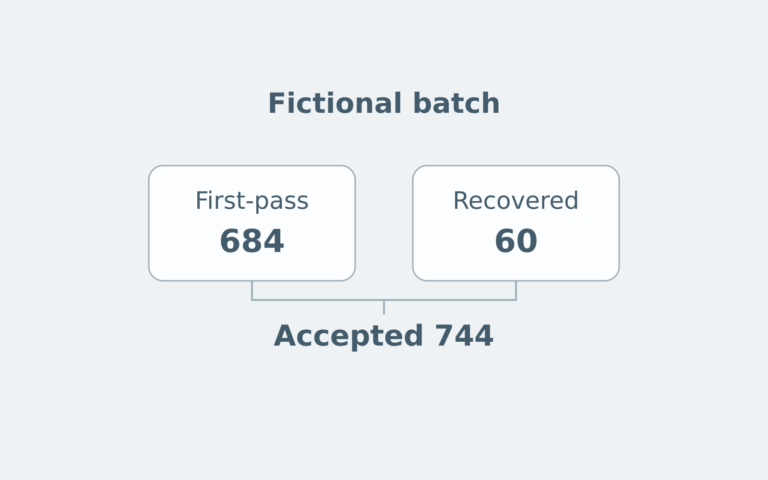
Accounts Receivable Aging: Check Dates, Payments and Credits
Reconstruct a fictional aging snapshot before using its total in a financing file.
Estimated reading time: 4 minutes
An accounts-receivable aging report is useful only when its dates, balances and reporting choices are understood. Before placing one in a business financing file, check what the report actually measures.
Start with detail, not just a total
Intuit’s U.S. QuickBooks Online guidance distinguishes the aging summary, showing outstanding balances and how overdue they are, from the detail report, which identifies individual transactions. Its report options also allow aging categories to be customized.
For review, retain both the summary and the detail behind a questioned amount. Record the product, report name, observation date and displayed period labels. “Aging report” alone doesn’t identify a particular configuration. The software examples here describe named products, not a universal layout or a recommendation to buy software.
Old invoice doesn’t necessarily mean overdue
Intuit’s Desktop guidance distinguishes aging from the due date, when an item remains current until due, from aging from the transaction date, which begins immediately. It also identifies unapplied payments, credits and incorrect terms as possible reasons an apparently paid invoice remains open.
Original fictional example: At an October 29, 2026 cutoff, an invoice issued September 1 and due October 31 is 58 calendar days old but not yet overdue. Calling it “58 days past due” would change the meaning, not just the formatting.
A second invoice due September 30 is 29 calendar days overdue at that cutoff. A third, due September 28, is 31 days overdue. Under this exercise’s stipulated 1–30 and 31–60 overdue-day bands, they belong in different bands. The bands are teaching assumptions, not lender eligibility rules.
Confirm the date basis and payment terms before interpreting a column label. Don’t change an actual due date merely to improve the appearance of the report.
Reconstruct the open amount separately
Oracle’s billing-report documentation describes records separating original transaction amounts, applied payments, credit memos, adjustments and current balances. That distinction supports a second check: the amount being aged isn’t necessarily the original invoice face value.
For the same fictional cutoff, suppose the three invoices above started at $4,000, $6,000 and $2,000. A $1,500 payment was correctly applied to the second invoice before cutoff. Assume no other applied payments, adjustments, taxes, currency changes or charges.
| Invoice | Original | Applied payment | Open |
|---|---|---|---|
| First | $4,000 | $0 | $4,000 |
| Second | $6,000 | $1,500 | $4,500 |
| Third | $2,000 | $0 | $2,000 |
The invoice total is $12,000 before the applied payment and $10,500 afterward. Aging the original $6,000 on the second invoice would overstate its open amount by $1,500. Retain the payment-application evidence with the invoice rather than substituting a remembered payment.
Find credits before comparing totals
Oracle’s general-ledger aging report has choices to age, summarize or omit open credits. Different output totals can treat those credits differently. Read the exact total’s label and the selected parameters instead of assuming every displayed total is net of credits.
Extend the exercise with a separate $500 on-account credit, already recorded before cutoff but not applied to any of the three invoices. Stipulate that all items belong to one customer and the same USD account. The open-invoice subtotal remains $10,500; the combined arithmetic balance including that separate credit is $10,000.
That $500 difference has an identified explanation. It isn’t permission to reduce a particular invoice or claim that $500 of additional cash arrived during this review. Keep the separate credit visible until the appropriate application is established. This is a controlled arithmetic comparison, not a simulation of every Oracle output field or an instruction to post an entry.
Reconcile the report boundary before alleging an error
Oracle’s reconciliation guidance identifies several potential causes of differences: account ranges, transactions not yet accounted, journals from outside Receivables, and journals not transferred or posted to the general ledger. Changes after an extract can also make summary and later detail disagree.
For a financing packet, ask the preparer which account population and cutoff each report represents, and whether both came from the same completed processing cycle. Preserve the original reports and an explanation of any corrected version. A difference needs investigation; it doesn’t establish fraud or justify an unsupported balancing entry.
Don’t assume every collections report can reconcile to the ledger. Oracle specifically warns that certain Advanced Collections aging reports lack the necessary general-ledger account information. Have the accountant identify the appropriate reconciliation report for the actual system. This guide doesn’t change posting settings, close periods or expand anyone’s access.
Finish with a precise lender question
Attach a short cover note identifying the requested reporting date, the version supplied and any unresolved item. Ask whether the lender needs additional schedules; don’t invent its requirements.
The exercise doesn’t estimate collections, calculate an allowance or establish borrowing eligibility. For that separate collateral question, see how a borrowing base limits available credit. No customer payment or new loan draw is assumed here.
Keep customer identities and financial records private. General U.S. business-finance education, not individualized accounting or lending advice. Sources checked October 29, 2026 UTC.