Employment Credit Report: Before and After an Adverse Decision
Identify the notice stage before asking about a report-based employment decision.
Estimated reading time: 5 minutes
A report-related message during a job application isn’t always a final rejection. First identify whether the employer is giving you information before an adverse decision or notifying you after one. Then separate questions about the report from questions about the employer’s decision.
This U.S. guide focuses on credit information in third-party employment reports. It doesn’t determine job eligibility, evaluate criminal records or decide whether a particular employer violated the law. State and local protections can affect the use of credit history.
Before a report-based adverse decision
The FTC’s employee guidance says an employer using a background reporting company must disclose that use in a standalone written document and obtain written permission. Before deciding against hiring, retaining or promoting you because of report information, it must provide the report and a summary of Fair Credit Reporting Act rights.
Read the complete packet promptly. Check whether the report and rights summary are actually included and readable. Ask the employer which person receives an explanation or corrected information. This guide gives no universal number of waiting days and doesn’t promise that the position will remain available while a dispute is investigated.
After the employer takes adverse action
The FTC’s employer guidance describes a separate notice after report-based adverse action. It identifies the reporting company’s name, address and phone number, explains that the company did not make the employment decision and can’t give its specific reasons, and describes dispute and additional free-report rights. The notice can be oral, written or electronic.
Don’t ask the screening company to make the hiring decision. Ask it about its report; ask the employer about the employment process. Preserve the communication and its date rather than relying on an application’s changing portal label.
Find the report that was actually used
The CFPB explains that employment reports can combine credit information, public records and employment history, and that many companies provide these reports. They aren’t necessarily the same document you download from a nationwide credit bureau. Identify the company named in the employer’s material before assuming where the problem appears.
Fictional example: an applicant’s saved credit report looks familiar, but the employment packet names a different screening company. That saved report can’t establish what the employer received. Obtain and inspect the identified employment report, including its date and questioned entry. This is a document-matching exercise, not proof that either report contains an error.
Describe a credit-entry error precisely
For an inaccurate credit-account entry, the CFPB’s dispute guidance generally recommends contacting both the credit reporting company and the company that supplied the information. Identify the specific error, explain why it’s wrong and include copies of supporting documents, not originals. Keep copies of what you send.
A vague statement that the result is unfair doesn’t identify the reporting error. Distinguish the account, disputed field and relevant date. Don’t dispute accurate information simply because you dislike its effect, and don’t change evidence to obtain a preferred outcome.
For example, a statement for Account A doesn’t establish the balance of Account B. Check the reference before attaching it. If your evidence concerns another account, identify the missing record rather than presenting the mismatch as proof.
The FTC describes an additional free-report right after a report-based rejection. Request it promptly and preserve dated notice-receipt evidence; this request doesn’t guarantee a hiring-review period.
Keep a compact correspondence index
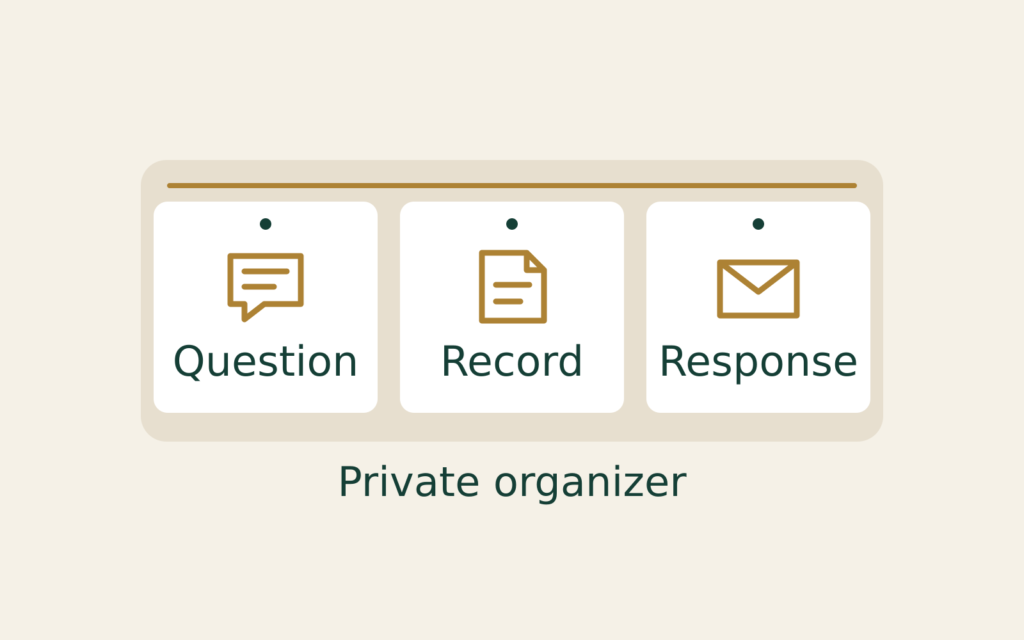
A private index can make several messages easier to follow without copying sensitive identifiers into every note. Use short document references and keep the underlying files securely. The index below is an editorial organizer, not a required legal form.
| Field | What to record |
|---|---|
| Document reference | Actual filename and relevant page |
| Question | One specific unresolved point |
| Response | Actual answer and date |
| Remaining gap | What the answer did not resolve |
For example, “attachment requested” and “attachment received” are different entries. If a response refers to a page that wasn’t supplied, keep that gap open. Don’t mark the issue resolved merely because someone acknowledged your message.
Check the result without assuming a job outcome
The FTC advises reviewing a revised background report to confirm the errors were addressed, asking the reporting company to send the corrected report to the employer, and telling the employer about the mistake. A corrected record and the employer’s subsequent decision remain separate results.
Ask about the current application status rather than assuming reconsideration or a job offer. Keep an unanswered question visible instead of replacing it with an optimistic status. If the packet or applicable protections are unclear, seek qualified assistance promptly; this article doesn’t calculate a legal deadline.
Keep reports, identifying documents and correspondence private. Don’t send them to this site. Sources checked October 29, 2026; general financial-reporting education, not individual legal advice.